How to organize saved Instagram posts
Use a few collections named after what you will do with a post, separate things to try from things to keep, and review new saves weekly. If you need an independent copy of the content, verify a captured archive rather than relying on the saved link.
1. Choose where to keep your saves
Start with the job you need a saved post to do. A recipe to revisit in Instagram has different needs from a carousel you want to study while editing a campaign.
| Method | Useful for | What to check |
|---|---|---|
| Instagram Saved collections | Grouping posts you plan to revisit in Instagram. | They keep references to the original post, rather than an independent file archive. |
| A bookmark manager | Keeping source links with your other research. | A saved link or thumbnail does not prove the original media was captured. |
| Captured media references | Keeping available files and captions for later study or export. | Verify archive completeness, storage limits and the rights to use the content. |
You can combine these methods. Keep casual saves inside Instagram; capture the smaller set of references that matter to a specific project.
2. Create collections around a next action
Use Instagram’s save action on a post, then use Saved and collections to group references. Instagram’s official introduction to collections explains the bookmark-and-collection approach. Menu names and locations can differ between the mobile app and desktop, so check your app’s current controls.
Start with three to five collection names you can recognize without opening them. “Try: lighting,” “Reference: product photos” and “Project: autumn launch” tell you why a post belongs there. “Inspiration 1” does not.
- Try next: techniques or ideas you plan to test.
- Evergreen references: examples that remain useful across projects.
- Active project: references for one current deliverable.
When a collection becomes hard to scan, split it by the task you actually use it for. A topic like “design” may be too broad; “landing page typography” gives you a clearer retrieval cue.
3. Make important references easier to find
For each reference you expect to use, keep the original URL, creator and the reason it matters. A separate project note can say “three-slide structure for launch announcement” or “side lighting for glass packaging.” Those details give you a search phrase later, even if the original caption is vague.
SaveContent keeps source links and captured post text in a private collection. You can paste an Instagram link in the web app. When the Chrome extension is available and installed, open a post on desktop Instagram and choose Save as reference in its ··· menu. It saves posts individually; it does not bulk-import your existing Saved collection.
Search your collection using words from saved captions or authors. Search is based on saved text; it is not a promise that the app recognizes every object inside an image. Keep your own project notes in the tool you already use if you need tags, annotations or a project brief.
For example, a caption such as “window lighting for product photos” gives you the search term “lighting”. The sample below shows that term in Collection and three illustrative references with matching caption text.
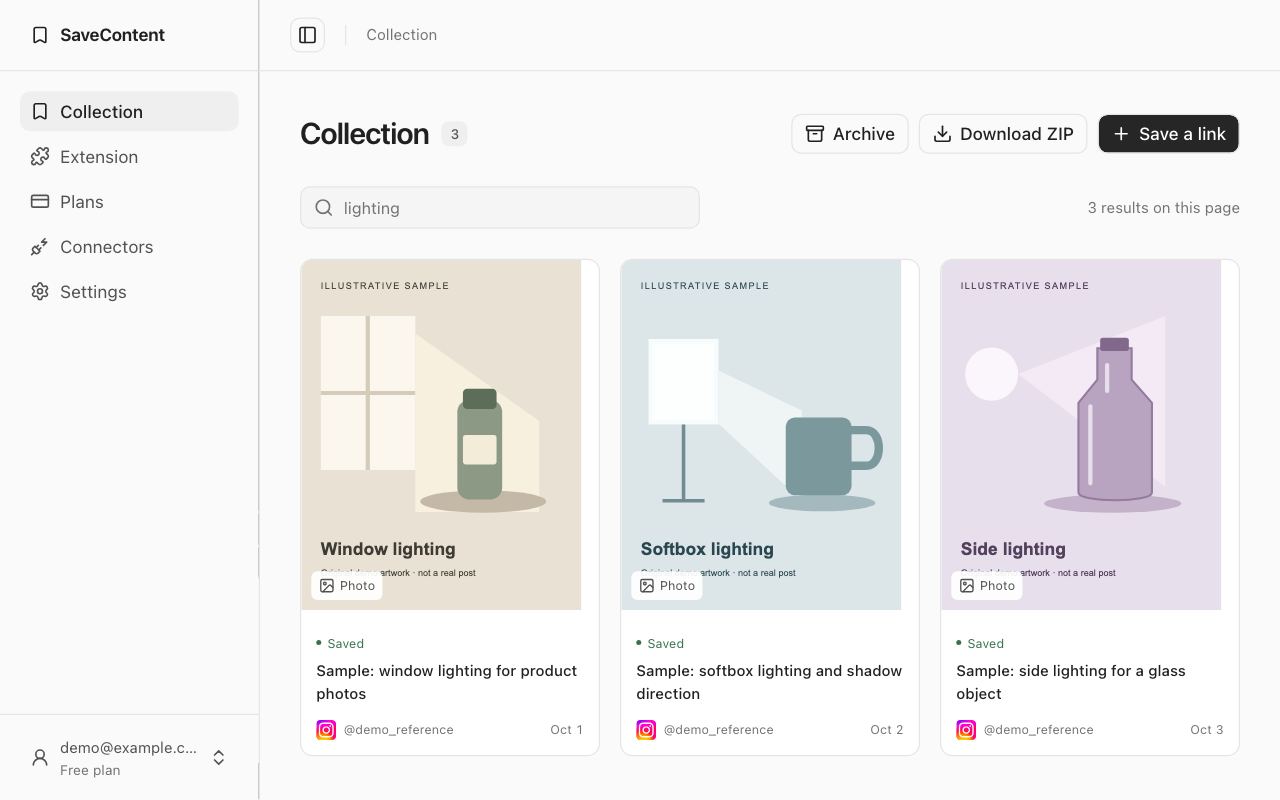
Before deleting a source link or relying on a reference offline, open the saved item. Check that the files you need are present and export an archive for important work. Private, deleted or restricted posts and failed downloads can leave an incomplete reference. See what an Instagram capture can contain.
4. Review saves once a week
A ten-minute review keeps the system usable. Move new posts into the collection where you will look for them, remove duplicates, and choose one idea to act on. When a project ends, keep only the examples you would actually reuse.
Try this retrieval check: can you find the example you need using a phrase you remember? If you cannot, rename its collection or add a clearer note in your project document. Improve the next retrieval instead of reorganizing every old save.
Keep attribution with your references. Saving a photo, Reel or caption does not transfer copyright or grant permission to republish it. Use captured content you have the right to save and ask the creator when your intended reuse requires permission.
Common questions
Can I organize my existing Instagram saves automatically?
This workflow is manual. SaveContent does not bulk-import your Saved collection or automatically assign topics. Start with the references you need for your current project rather than migrating everything.
Does saving a post keep it forever?
A native save or bookmark points back to the source. A captured archive can keep files that were successfully saved, but cannot recover content that was unavailable at capture time. Check the result and keep independent exports of essential references.
Can I keep website references beside Instagram posts?
Yes. SaveContent’s Chrome extension can capture website snapshots. The snapshots are frozen copies with scripts and interactive content disabled, so inspect the preview before relying on one.
Check extension availability and setup, or compare Free and Pro features before starting.